Geriatrics At Your Fingertips
American Geriatrics SocietyMedical
4.96.00 Reviews
- Version
- 6.9.0.839
- Installs
- 10.00K
- Age Rating
- Everyone
Screenshots
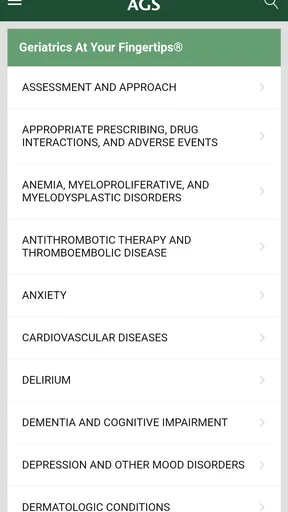
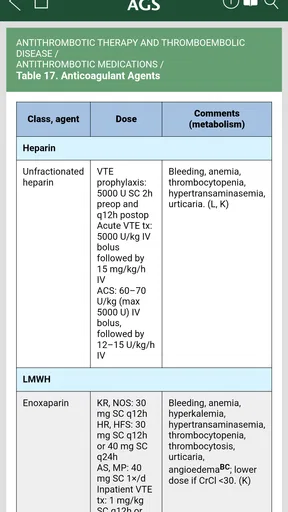
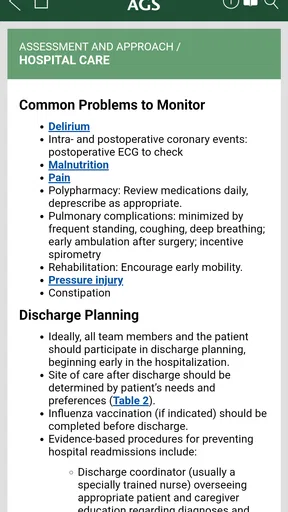
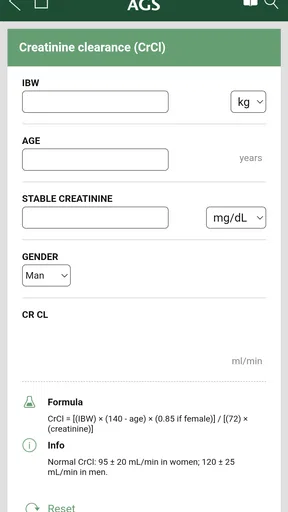
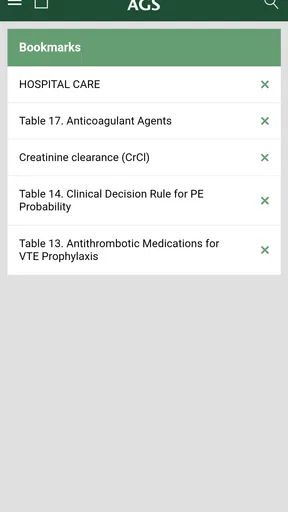
Our Review of Geriatrics At Your Fingertips
 Analysis by Appyee
I came away from Geriatrics At Your Fingertips with the impression that it is less like a general medical reference library and more like a focused pocket companion for people who regularly make care decisions involving older adults. That distinction matters. It is aimed at healthcare providers, and its value depends on whether geriatric questions are part of your normal work rather than an occasional curiosity.
The app is published by the American Geriatrics Society and sits in the medical category. It is free to install, rated for Everyone, and has built a strong reputation with a 4.9 average from around 160 ratings. It has also passed the ten-thousand-install mark, which suggests a specialized but established audience rather than a mass-market medical app. I would recommend approaching it as a practical reference tool, not as a replacement for clinical judgment, local protocols, patient records, or urgent medical services.
How it feels during real clinical use
I approach clinical use of Geriatrics At Your Fingertips as a focused check-in: it can help me bring age-related considerations into view, but it is not a substitute for examining the patient or weighing their full history. The practical test is whether a compact reference fits naturally into the way I prepare and follow up. That also makes it worth considering what I can verify about the app’s controls before relying on it.
Quick access is the main performance advantage
My first expectation with a reference app like this is simple: I want to reach the relevant material without fighting the interface. Geriatric care often involves several concerns at once, including medication decisions, functional ability, cognition, safety, and the way ordinary illness presents differently in an older patient. A tool that takes too long to navigate loses much of its usefulness, even if its content is excellent.
In that context, the app’s strongest performance quality is its focused purpose. It does not need to compete with a broad news feed, a social layer, or unrelated health content. That narrow scope should make it easier to open the app with a specific question in mind and move toward a clinical reference point. I found that more valuable than a visually elaborate design would have been. For a busy provider, a compact specialist reference can feel faster simply because it reduces the amount of material that needs to be searched.
There is an important difference between opening quickly and answering a complicated question quickly. The app can help with orientation and point-of-care reference, but it should not be treated as an automatic decision engine. If a patient has several conditions, a complicated medication list, or an urgent change in status, the app is only one part of the process. I would use it to support thinking, not to shorten thinking.
A realistic use case: the older patient with several competing concerns
Imagine seeing an older patient whose family reports a sudden change in behavior. At the same time, the patient has multiple prescriptions, reduced appetite, and a recent fall. A general medical search may produce a huge amount of material, much of it written for a broad audience. A geriatrics-focused reference is more useful because it keeps the age-related context in view.
In that situation, I would use the app before or during the consultation to organize the issues I need to consider. I would not expect it to replace an examination or provide a single answer. Its practical role is to help me remember the geriatric angle when a familiar symptom could have several consequences. That is one of the less obvious benefits of a specialized reference: it can improve the questions I ask, not merely provide a fact after I already know what to search for.
A second useful workflow is preparation before a clinic session. Rather than opening the app only when a difficult case appears, I would review the relevant material before seeing a group of older patients and keep the app available for clarification. This reduces the pressure to learn everything in the middle of an appointment. It also makes the app more useful for trainees, who may need a structured reminder of what to consider without turning every consultation into a lengthy literature search.
Heavy-use moments reveal the trade-off
The app is most likely to earn a place on a device during repeated, short reference sessions. A clinician moving between patients may value a tool that answers a narrow professional need several times in a day. That pattern is different from reading a long textbook chapter. The app’s usefulness rises when the question is specific and time matters, but it falls when the user expects a complete, deeply referenced treatment plan for a complex case.
Heavy use can also expose the limits of any compact mobile reference. Looking up one topic is a different task from comparing several conditions, reviewing a patient’s full context, and documenting a decision. I would avoid relying on the app as the only screen open during a complicated consultation. A larger reference source, institutional guidance, or a full electronic health record may be better when the task involves cross-checking many details at once.
One practical tip is to decide what you want from the app before opening it. If the question is “What geriatric issue should I remember here?” the app is a sensible starting point. If the question is “What is the complete and individualized management plan for this patient?” it is not the right endpoint. That habit prevents the common mistake of judging a focused reference harshly for not behaving like a full clinical information system.
Stability matters more than visual polish
For a medical reference, reliability is not only about whether the application opens. It is also about whether I can use it consistently when I need a reminder, whether the content remains readable during a short consultation, and whether the experience avoids unnecessary distractions. The current version is 6.9.0.839, so this is not presented as an untouched early release. Its continued versioning gives the impression of an established product rather than a one-off experiment.
I would still keep expectations realistic. A stable app can be available while the information itself requires interpretation. Medical knowledge changes, and a reference tool should never be the sole basis for a high-risk decision simply because it is convenient. The safest workflow is to use it alongside current professional guidance and the patient’s own clinical information.
There is also a difference between technical recovery and clinical recovery. If an app closes or becomes unavailable, reopening it may solve the technical problem, but that does not restore a missed piece of reasoning. For that reason, I would not wait until an urgent situation to discover how comfortable I am with its navigation. A short familiarization session is worthwhile, especially for students or providers who do not routinely work in geriatrics.
Device requirements and everyday practicality
The minimum operating-system requirement is Android 8.0, which keeps the app accessible to many older Android devices while still excluding phones that have not been updated for a long time. On a supported device, I would expect the experience to be manageable for ordinary reference work rather than unusually demanding. The app’s focused medical purpose does not suggest the kind of workload associated with graphics-heavy entertainment or continuous media playback.
That does not mean every phone will feel equally comfortable. Screen size affects medical reading, particularly when a user is trying to compare information or read while standing in a clinic. An older phone with limited storage, an aging battery, or a crowded screen can make any reference app feel slower and less convenient even when the software itself is functioning normally. I would prefer a reasonably sized display and enough free space for routine updates, although the app’s listed operating-system requirement is the main compatibility detail to check first.
People using iPhones should pay attention to the download option available for their device before planning a workflow around it. The confirmed compatibility detail here is for Android, so I would not assume that the same version, behavior, or requirements apply across platforms. That is a small but important practical point: medical tools should be tested on the actual device used in practice, not judged from another person’s phone.
What the free installation does and does not imply
The app is free to install, which lowers the barrier for a student, resident, or healthcare professional who wants to evaluate it without committing to a purchase at the start. There are also in-app purchases listed at $19.99 per item. I would check the purchase screen carefully before treating the free installation as the complete experience, especially if I planned to use the app as a regular professional resource.
That pricing structure creates a trade-off. A free entry point makes testing easier, but a user may need to decide whether optional paid material is worthwhile for their role. Someone who only occasionally encounters geriatric questions may be satisfied with the initial experience, while a provider whose daily work centers on older adults may see more value in considering the additional content. I would make that decision based on frequency of use and the depth of reference needed, not simply on the presence of a purchase option.
Another useful habit is to evaluate the app during a normal workday before paying for anything. Try the searches and topics that actually arise in your setting. See whether the organization matches your mental workflow and whether reading on your phone is comfortable. That short trial tells you more than a high rating alone, because the right medical reference depends heavily on specialty, training level, and local practice.
Who will benefit most from it
I see the clearest fit for physicians, nurses, pharmacists, trainees, and other healthcare providers who care for older adults. It can also be useful for professionals who do not identify as geriatric specialists but regularly see older patients in primary care, hospital, rehabilitation, long-term care, or community settings. The value comes from having a focused reminder close at hand when age-related factors change the way a problem should be approached.
Students may appreciate it as a bridge between classroom learning and clinical encounters. Instead of opening a broad search engine and sorting through general health pages, they can begin with a resource built around geriatrics. I would still encourage students to compare what they read with teaching materials and supervision. A pocket reference is excellent for reinforcing knowledge, but it should not become a shortcut around learning the reasoning behind a recommendation.
Family caregivers and members of the general public are a different case. The Everyone content rating means the app is not restricted to an older audience, but that does not make it ideal for self-diagnosis. The wording and context of a professional medical reference may be difficult to interpret without training. If you are caring for a relative, it may help you understand topics discussed with a clinician, but I would not use it to change medication, delay urgent care, or make an independent diagnosis.
Where another option may be better
A broad medical database is a better choice when I need extensive primary literature, formal citations, or a wide range of specialties beyond geriatrics. A hospital’s internal resource may be preferable when local policies, formularies, referral pathways, or documentation standards are central to the decision. A full electronic health record is indispensable for patient-specific information, something a standalone reference app cannot provide.
There are also times when a printed handbook or desktop reference wins. During teaching, a larger screen can make it easier to compare sections and explain a point to a colleague. When connectivity, battery life, or device access is uncertain, a paper backup may be more dependable. I would not choose this app as my only resource for a service that handles high-risk geriatric decisions without additional clinical references.
Its advantage is specialization and convenience, not universal coverage. That is a healthy limitation rather than a flaw, provided the user understands the boundary. The app works best as one layer in a careful workflow: identify the question, consult the focused reference, verify against current guidance, and apply the information to the individual patient.
My performance verdict
After considering speed expectations, repeated-use scenarios, device constraints, and the need for dependable clinical judgment, I think Geriatrics At Your Fingertips is a worthwhile tool for the right audience. Its focused identity makes it more practical than a generic health app when the subject is care of older adults. The free installation makes evaluation straightforward, while the optional purchases mean I would inspect the available content before building it into a long-term routine.
I would install it if I regularly work with older patients or am studying geriatrics and want a portable reference to support my learning. I would skip it if I rarely need geriatric information, expect consumer-friendly explanations, or want a complete medical database in one application. It is also not a substitute for urgent services, patient records, supervision, or professional guidelines.
My final view is positive but deliberately practical: this is most valuable when used as a fast geriatric checkpoint, not as the final authority in a complex case. The American Geriatrics Society gives the app a clear professional identity, and its strong average rating from around 160 ratings supports its appeal among its existing users. For clinicians who want a specialized reference close by, it deserves a trial; for everyone else, a general health resource or direct professional advice may be the more sensible choice.
Verdict
Strengths of Geriatrics At Your Fingertips
- Quick access to geriatric assessment tools and clinical reference material.
- Useful medication and disease information for older-adult care.
- Helps clinicians review age-related conditions at the point of care.
- Organized topics make frequently needed guidance easier to locate.
- Can support learning for students and professionals in geriatrics.
Limitations of Geriatrics At Your Fingertips
- Some content may require a paid subscription or in-app purchase.
- Medical information should not replace local guidelines or professional judgment.
- The interface may feel dated compared with newer medical reference apps.
- Search and navigation can take time when looking for a specific topic.
- Updates may not always reflect the latest evidence or regional recommendations.
Similar Picks in This Category
View All
WebMD: Symptom Checker
WebMD, LLC4.1

Microphone Amplifier
DOSA Apps4.2

Anatomy Learning - 3D Anatomy
3D Medical OU4.5

Period Tracker and Calendar
SimpleInnovation4.9

GoodRx: Prescription Coupons
GoodRx4.8

CVS Health
CVS Pharmacy4.5
Frequently Asked Questions
What is Geriatrics At Your Fingertips designed for?
Geriatrics At Your Fingertips is a clinical reference app created to help healthcare professionals find practical information about the care of older adults. It typically covers geriatric assessment, common syndromes, medication considerations, preventive care, and treatment guidance. It is intended as a point-of-care resource, not as a replacement for professional judgment, a complete medical record, or individualized advice from a qualified clinician.
Who can benefit from using Geriatrics At Your Fingertips?
The app is primarily aimed at physicians, nurses, pharmacists, medical students, residents, and other healthcare professionals who work with older patients. Its concise format can be useful when reviewing geriatric topics during clinical practice, study, or exam preparation. Patients and caregivers may find the terminology difficult, so they should discuss any information they read with a doctor rather than using the app to self-diagnose or change treatment.
Does the app work offline after it has been downloaded?
Offline availability can depend on the edition, platform, and how the publisher distributes its content. Some reference apps allow users to access downloaded material without an internet connection, while account verification, updates, or selected links may still require connectivity. Before relying on it in a hospital or travel setting, install the app, open its main sections, and confirm which features remain accessible offline on your Android or iOS device.
Is the medical information in the app regularly updated?
Users should check the listed edition, publication date, and update history before downloading, because geriatric recommendations, medication information, and clinical standards can change. An app may provide valuable reference material while still requiring comparison with current guidelines, local protocols, drug references, and official safety alerts. The application should support clinical decision-making, but it should not be treated as the sole or final source for urgent care.
Is Geriatrics At Your Fingertips free, and are there any requirements?
Availability and pricing may vary by store, region, edition, and licensing model. The app may be offered as a paid download, through an institutional subscription, or with access connected to a professional organization or publisher account. Review the Google Play or App Store listing carefully for the current price, supported operating-system versions, in-app purchases, login requirements, and privacy details before completing the installation.
